Your drive. Your files. Your TV.
Play your own video library on Apple TV.
Archive opens the videos and photos already on your NAS, Mac or PC. Connect an SMB share, browse your library on the TV, and start watching. No separate media server or cloud account.
Apple TV with tvOS 17 or later. Free download with in-app purchases. A demo library is included; your own files require an SMB share.
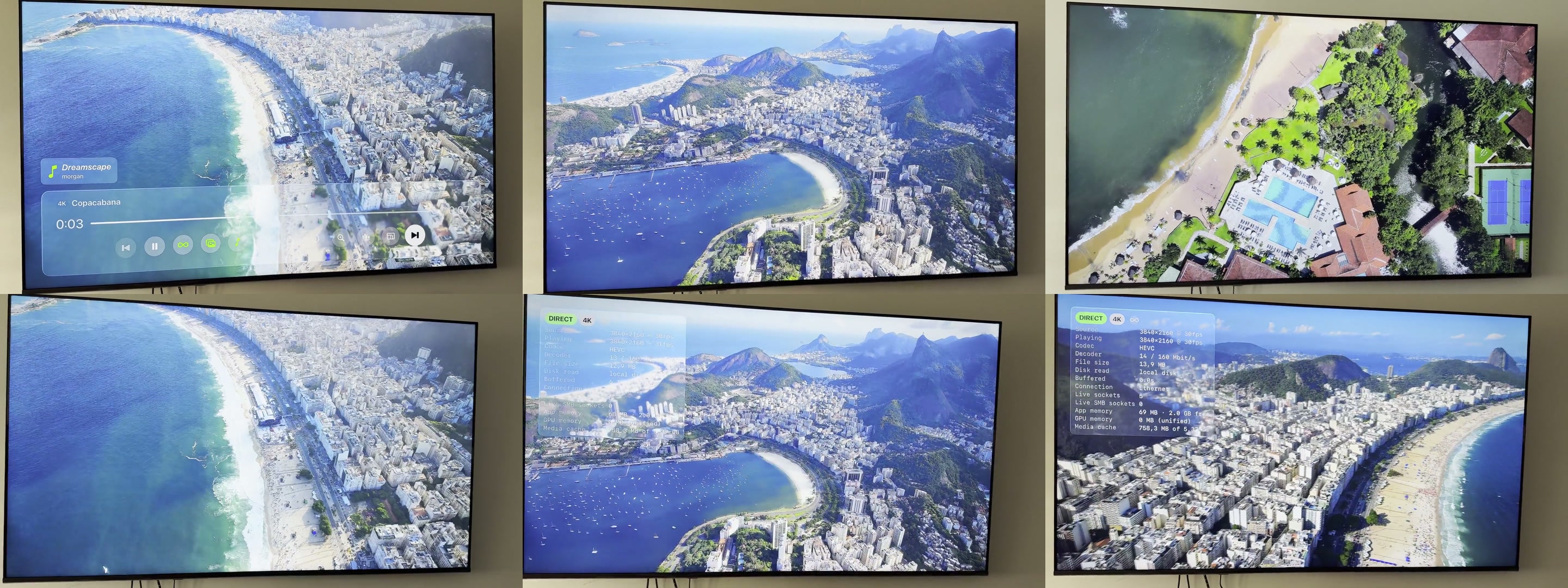
From drive to screen
Three steps to your library
- 01
Connect your share
Choose an SMB share on your NAS, Mac or Windows PC. Archive reads it directly over your local network.
- 02
Find what you want
Browse folders or use the date-based timeline. Save favorites and return to videos you started.
- 03
Watch on the TV
For large supported files, Archive downloads ahead while playing and can hand playback to the local copy.
Made for your files
Heavy footage belongs on the big screen.
Camera originals and drone footage can outrun a small network buffer. Archive reads ahead on the Apple TV to reduce network-related stalls without changing the source file. Playback still depends on what your Apple TV can decode.
How large 4K files playNo library upload
Your media stays on your network drive.
Photos and videos together
Browse by date, open folders, or play a photo slideshow.
A remote in any browser
The Apple TV hosts a local web page for browsing and playback control from your phone or laptop.
Find your setup
Start with the question you have.
How do I play an SMB share on Apple TV?
What you need, how to connect, and what happens to your files.
Read the guide 4K videoWhy does my drone footage stutter?
Network buffering, download-ahead playback, and decoder limits.
Read the guide NAS libraryCan I browse my NAS without a media server?
Folders, timeline, favorites, photos, and the browser remote.
Read the guideBefore you install
Common questions
Do I need to install anything on my NAS?
No. Archive connects to an SMB share already available on your local network. You need the share address and its account credentials.
Can I try it without connecting my drive?
Yes. The download includes a demo library. Playing your own files requires an SMB share, and the free tier previews each session.
Will it play every 4K file?
No player can exceed the Apple TV hardware decoder's limits. Archive handles network buffering for supported files; an optional Transcoder can help with files the TV cannot decode directly.
See your library on the TV.
Start with the demo, then connect your own drive when you're ready.
Get Archive on the App Store